Compress video for email
Compress your video to fit Gmail’s 25 MB attachment limit (or Outlook’s 20 MB) - runs in your browser; the encoder never uploads.
- Free to use
- In your browser
- No account
- No watermark
Drop a video here
…or click to choose a file.
Why your video is too big
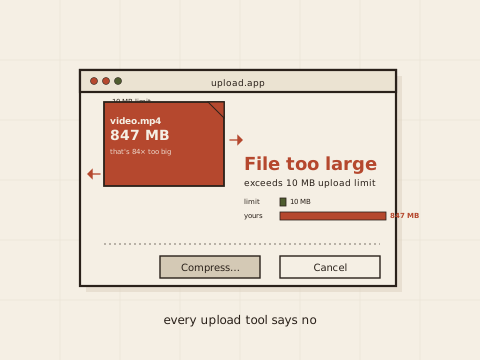
Most email providers cap attachments well below the size of an unedited phone clip. Gmail and most major webmail accept up to 25 MB. Outlook.com, iCloud Mail, and Yahoo Mail cap at 20 MB. Many corporate mail servers reject anything over 10 MB.
Even when your own provider accepts 25 MB, the recipient’s server can reject the message after it leaves you. The safe target is the smaller end of the range whenever you don’t know the receiving server’s limit.
How to compress video for email in 4 steps
Drop your video onto the page
Click the drop zone or drag a video file from Finder / Explorer onto it. The encoder loads the file from your disk into the browser tab; it doesn't upload.
Pick a size target
25 MB fits Gmail and most webmail. 20 MB fits Outlook.com, iCloud Mail, and Yahoo. 10 MB is the safe default when you don't know the recipient's mail server.
Click Compress and wait
The encoder runs in your browser via WebAssembly. A 1-minute 1080p clip typically finishes in 20–40 seconds on a recent laptop; longer clips scale roughly linearly.
Download the smaller MP4 and attach
Output is standard MP4 (H.264 + AAC) - every mail client and every recipient device can play it without extra software.
Common questions
What size does email allow?
Gmail and most webmail: 25 MB. Outlook.com / iCloud Mail / Yahoo Mail: 20 MB. Many corporate / business email servers: 10 MB. When in doubt, the 10 MB target works almost everywhere.
What if it still bounces?
The receiving server’s limit can be lower than the sender’s. If Gmail accepts your 25 MB attachment but the recipient’s mail server rejects it, try the 10 MB target. Or use a file-share link instead - Gmail offers Google Drive integration above 25 MB automatically.
Will the video still play for the recipient?
Yes. We output MP4 (H.264 + AAC), which every modern phone and computer plays without extra software.
How private is this?
The encoder runs in your browser via ffmpeg-WebAssembly. Your video never reaches our servers. The one exception is the optional support-upload flow, which only runs when you use it. Full privacy story.
Related tools
encodevideos.com vs Cloud compressors
| encodevideos.com | Cloud compressors | |
|---|---|---|
| Where your video goes | Stays on your device; the encoder never uploads | Uploaded to a third-party server |
| Account required | No account, no email, no card | Account or email signup typical |
| Watermark | Never | Watermarked output on free tiers |
| File-size cap | Up to 4 GB, limited only by your device's RAM | Hard caps tied to plan tier |
| Privacy | The encoder runs in your browser; we don't see your file | Provider holds a copy at least temporarily |