Extract audio from a video
Pull just the audio track out of any video as MP3 (default, 192 kbps) or WAV (lossless) - runs in your browser; the encoder never uploads.
- Free to use
- In your browser
- No account
- No watermark
Drop a video here
…or click to choose a file.
Why convert
A video file is usually much larger than its audio track. A 1-hour 1080p video can be 1–2 GB, but the audio underneath is closer to 50–100 MB at MP3 quality. If all you need is the audio - for transcription, a podcast clip, a voice memo, or pulling a soundbite out of a longer recording - extracting it strips out the video and leaves you with a file that’s small enough to email, share, or upload anywhere.
MP3 at 192 kbps is the right default: indistinguishable from the source for spoken audio and very close to transparent for music, with file sizes about 10× smaller than the equivalent uncompressed WAV. Pick WAV when you’re editing in a DAW and want lossless source.
How to extract audio from a video in 4 steps
Drop your video onto the page
Click or drag any video file (MP4, MOV, MKV, WebM, AVI, etc.) onto the drop zone. The encoder loads it locally and doesn't upload.
Confirm extract mode
The page opens in extract-audio mode by default. Switch between MP3 (small, plays everywhere) and WAV (lossless) using the format selector.
Optionally trim to just the section you want
Open Edit Mode and set the trim points. Only the trimmed range gets exported - useful for grabbing a soundbite or a single song from a longer recording.
Click Extract Audio and download
MP3 is loudness-normalized to broadcast standard (EBU R128, -16 LUFS) so volume is consistent across clips. WAV is a bit-exact decode of the source's audio track.
Common questions
MP3 or WAV - which should I pick?
MP3 for almost everything: smaller, normalized to a consistent volume, plays in every audio app and on every device. WAV when you’ll be editing in a DAW (Audacity, Logic, Reaper) and want lossless source - the file is much larger but every detail of the original audio is preserved.
Will the audio quality match the original?
MP3 at 192 kbps is transparent for spoken audio and very close to transparent for music - most listeners can’t tell. WAV is a bit-exact decode of whatever the video had as its audio track.
Can I trim to just a section first?
Yes - the trim controls work the same as for video output. Set the start and end points, then click Extract Audio. Only the trimmed range gets exported.
What about long videos?
A two-hour video produces a roughly 200 MB MP3 or a roughly 1.3 GB WAV. The encoder warns before WAV extraction on long sources because of the size.
How private is this?
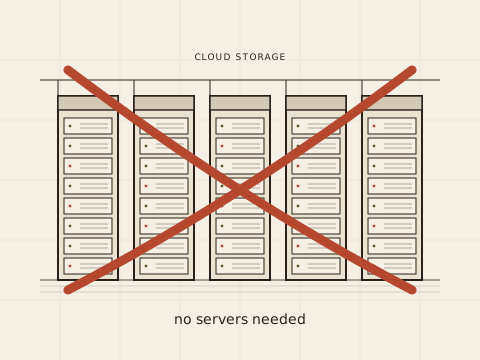
The encoder runs in your browser via ffmpeg-WebAssembly. Your video never reaches our servers. The one exception is the optional support-upload flow, which only runs when you use it. Full privacy story.
Related tools
encodevideos.com vs Cloud compressors
| encodevideos.com | Cloud compressors | |
|---|---|---|
| Where your video goes | Stays on your device; the encoder never uploads | Uploaded to a third-party server |
| Account required | No account, no email, no card | Account or email signup typical |
| Watermark | Never | Watermarked output on free tiers |
| File-size cap | Up to 4 GB, limited only by your device's RAM | Hard caps tied to plan tier |
| Privacy | The encoder runs in your browser; we don't see your file | Provider holds a copy at least temporarily |